LoreMotion V2 — A New Site, Video to Video, Seedance, and an AI Director That Finishes
2026-10-15 · 8 min read · LoreMotion Team
LoreMotion V2 is a rebuilt site and generator. Video to Video, Seedance direct from ByteDance, Veo 3.1 and Veo 2, an AI Director that plans for 5 credits and keeps rendering past refusals, presets, templates, and a $1 credit pack. Free LTX 2.5 and MiniMax H3 stay unlimited.
LoreMotion V2 is live. Same free lane, same tagline — bring your lore to motion — but nearly every screen you touch has been rebuilt: the homepage, the generator, the AI Director, the pricing page, and the policies underneath all of it.
The short version: you can now put a video in and get a video out, Seedance runs direct from ByteDance, the AI Director plans a whole video for 5 credits and no longer stalls when one model says no, and the free models are still free and unlimited.
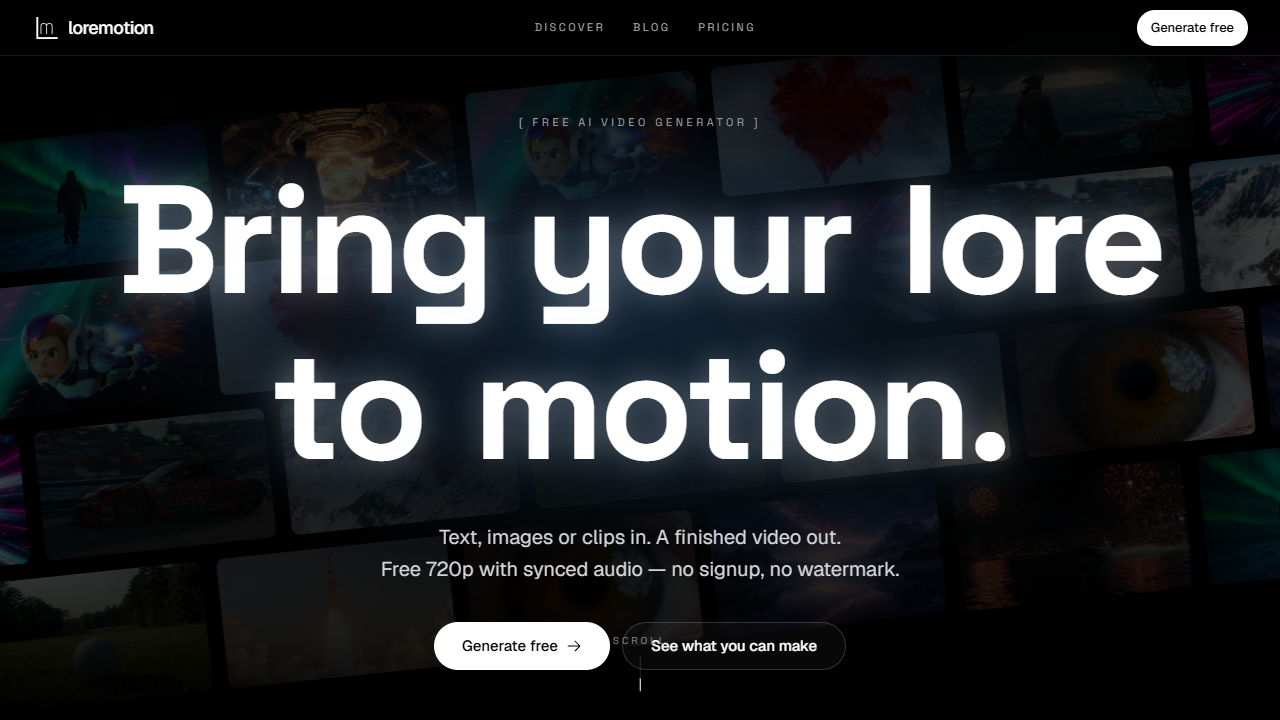
A new homepage
The old landing page explained the product. The new one shows it. The hero is a wall of real renders, and every section below it is something you can click into:
- Templates you can start from in one tap, in a scrolling carousel
- The AI Director, with a live example of an idea turning into a finished, captioned video
- A free-clips strip — what LTX 2.5 and MiniMax H3 make with no account and no credits
- Premium models with their labs' logos, so you know whose model you're paying for
- An honest comparison with Higgsfield, InVideo, OpenArt, Runway, Kling and Pika — where we're cheaper, where we're free, and where we're not the right tool
- Ad-free plans spelled out next to the credit plans, instead of buried
Underneath it all: a new footer, a shorter path to /generate, and the line we keep coming back to — backed by none, made for everyone.
The generator, rebuilt
/generate is where most of V2 lives.
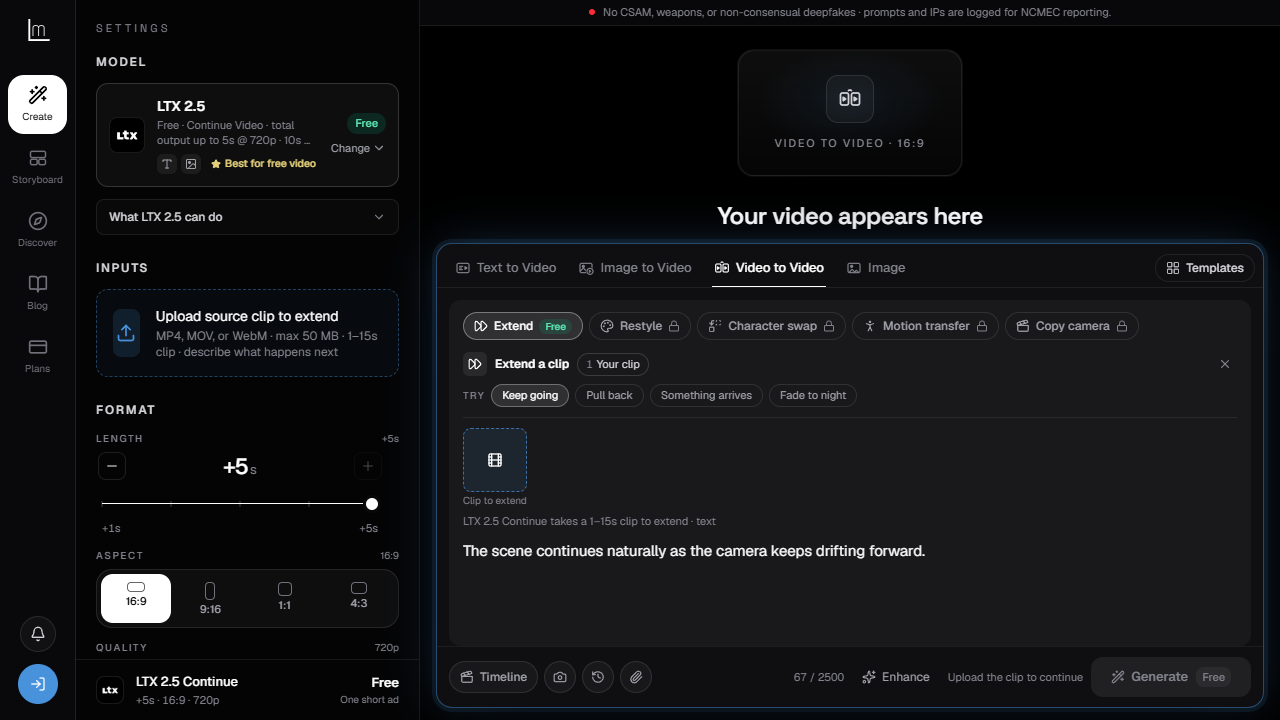
Video to Video. A fourth tab next to Text to Video, Image to Video and Image. Upload a clip and pick what to do with it:
- Extend — keep the shot going from its last frame. Free on LTX 2.5.
- Restyle — same motion, new look.
- Character swap — replace who's in the clip.
- Motion transfer — move a still like the person in your clip.
- Copy camera — borrow a clip's camera move for a new scene.
Drop anything anywhere. The input tray takes photos and clips from a drag, a paste or the file picker, and routes each one to the right slot. Drop a video on Text to Video and you land on Video to Video; drop a photo and you land on Image to Video. If the model you picked can't take that input, the generator switches to one that can and tells you which.
Templates that do the setup. Each template comes with a checklist of what it needs, prompt ideas, sensible defaults for length and aspect, and a Use my last video button so a series stays consistent.
Presets instead of prompt folklore. One menu in the prompt box: camera (dolly, orbit, handheld…), shot (close-up, wide, low angle, aerial), motion (subtle, natural, dynamic), loop (seamless) and look. These replace the separate Style & motion and Motion Director panels — same options, one place.
And the small things you'll use daily:
- Prompt history — your last prompts, one click to reuse
- Describe this image — on premium models, turn a photo into a motion prompt
- Ready alerts — render progress in the tab title, and a browser notification when it lands, so you can leave the tab
- Next shot from the last frame — from any finished clip, park it on the Timeline and continue the scene
- A static canvas where the video will appear — no animation competing with your prompt
- A one-time walkthrough for first-time visitors, five slides, then out of your way
Seedance, direct from ByteDance
ByteDance approved LoreMotion for Seedance, and the Seedance lineup now runs direct on BytePlus ModelArk — ByteDance's own platform — instead of through a reseller. That's better uptime, the full feature set, and prices we can actually control.
| Model | What it's for | From |
|---|---|---|
| Seedance 2.5 | Best quality, 4–30s, up to 30 reference photos and 10 clips | 22 cr/sec (480p) |
| Seedance 2 | 4–15s, 480p up to 4K | 15 cr/sec (480p) |
| Seedance 2 Fast | Quicker, cheaper renders | 12 cr/sec (480p) |
| Seedance 2 Mini | The lowest-cost Seedance | 8 cr/sec (480p) |
| Seedance 2.5 Edit | Change the look, objects or sound of a 4–30s clip | 26 cr/sec of clip |
| Seedance 2.5 Extend | Add 4–30s after your clip, same look and sound | 13 cr/sec |
Every Seedance model has native audio. Edit and Extend live on the new Video to Video tab. Full rates are on Pricing.
Veo 3.1 and Veo 2
Google's Veo 3.1 (1080p, with audio) sits next to Veo 2 (720p, 4/6/8 seconds, 35 credits), with Veo 3.1 Fast and Lite still the cheapest way into premium video at 6 credits a clip.
The AI Director, now it finishes
The AI Director turns one idea into a planned, rendered, captioned video: character sheets, keyframes, shots, voiceover, final cut. V2 fixes the thing that made it frustrating.
One refusal no longer stops the run. Before, if one image model refused a frame on policy grounds, the whole video stalled behind it — and you'd already paid for the shots that did render. Now every other shot keeps going. The Director only stops once, right before the final render, and asks what to do with the shots that didn't make it: retry them, retry on another model, or leave them out.
It plans with the rules in mind. The planner now knows what each provider will and won't render — invented characters instead of real people, no brand names, implied violence instead of graphic — and writes prompts that pass the first time.
Captions work. Turn captions on and narrated shots get word-timed subtitles from the voiceover, in short readable chunks. Shots without narration get their own caption. Before, you only got the title card.
Insert a shot anywhere. Ask the Director to put a new shot between two others and it will, even inside a chained sequence — the new shot gets its own keyframe so the chain still holds.
Simple pricing. Planning a video costs 5 credits. Each change after that — new voiceover, adding titles or captions, inserting a shot — costs 1 credit. Rendering is charged at each model's normal rate, and you see an estimate before anything renders. The Director comes with Clean, Executive and every credit plan.
Paying is easier, and starts at $1
Payments now go through Whop. The new Credit Spark pack is $1 for 120 credits — enough to try Veo 3.1 Fast, Seedance Mini or a Grok Affordable clip without a subscription. Pack credits never expire.
Nothing about the free lane changed: LTX 2.5 and MiniMax H3 are still free, unlimited and ad-supported. Clean ($9.99/mo) and Executive ($19.99/mo) still remove ads, and credit plans start at $5/mo.
Policies, rewritten in plain English
We rewrote the Terms, Privacy Policy, Refund Policy and Acceptable Use Policy. The headlines:
- You own what you make, subject to the model provider's terms.
- Consent comes first. Don't upload someone's face or voice without their permission. Hard blocks on CSAM, weapons and sexual deepfakes apply to every job, free or paid.
- Refunds are clearer. Unused one-time packs can be refunded within 14 days, failed premium jobs refund automatically, and the Director's planning and change fees come back if it can't produce an answer.
- Privacy names names — every processor we use, how long we keep your videos, and what analytics run on the site.
Try V2
- Make a clip: loremotion.com/generate
- Plan a whole video: AI Director
- See what people make: Discover
- What things cost: Pricing
- Every change, newest first: Changelog
FAQ
What is LoreMotion V2?
LoreMotion V2 is the rebuilt LoreMotion: a new homepage and generator, a Video to Video tab, Seedance direct from ByteDance, Veo 3.1 and Veo 2, an AI Director that keeps rendering past refusals, presets and templates, Whop payments with a $1 credit pack, and rewritten policies.
Is LoreMotion still free?
Yes. LTX 2.5 and MiniMax H3 are free and unlimited with one short ad per generation, and you can start without an account. Credits are only for premium models like Veo, Kling, Seedance and Grok.
What can I do with Video to Video?
Upload a clip and Extend it (free on LTX 2.5), Restyle it, swap the character, transfer its motion to a still, or copy its camera move into a new scene. Seedance 2.5 Edit and Extend also run from this tab.
How much does the AI Director cost?
Planning a video costs 5 credits, and each change afterwards — a new voiceover, titles or captions, an inserted shot — costs 1 credit. The shots themselves are charged at each model's normal rate, and you see an estimate before rendering.
What happens if a model refuses one of my shots?
The rest of the video keeps rendering. Before the final cut, the AI Director shows you the shots that didn't render and lets you retry each one, try it on another model, or leave it out, so one refusal doesn't waste the shots that worked.
Why does Seedance run through BytePlus?
BytePlus ModelArk is ByteDance's own model platform. Running Seedance there, after ByteDance approved LoreMotion, gives us the full Seedance 2.5, 2, Fast, Mini, Edit and Extend lineup with better reliability than a reseller.
What's the cheapest way to try premium models?
The Credit Spark pack: $1 for 120 credits, no subscription, and the credits never expire.